
Creative AI: 100 Tips & Tricks for Arts & Innovation
Updated: Sep 14

🔰🎨 Unleash Your Imagination with Intelligent Co-creation
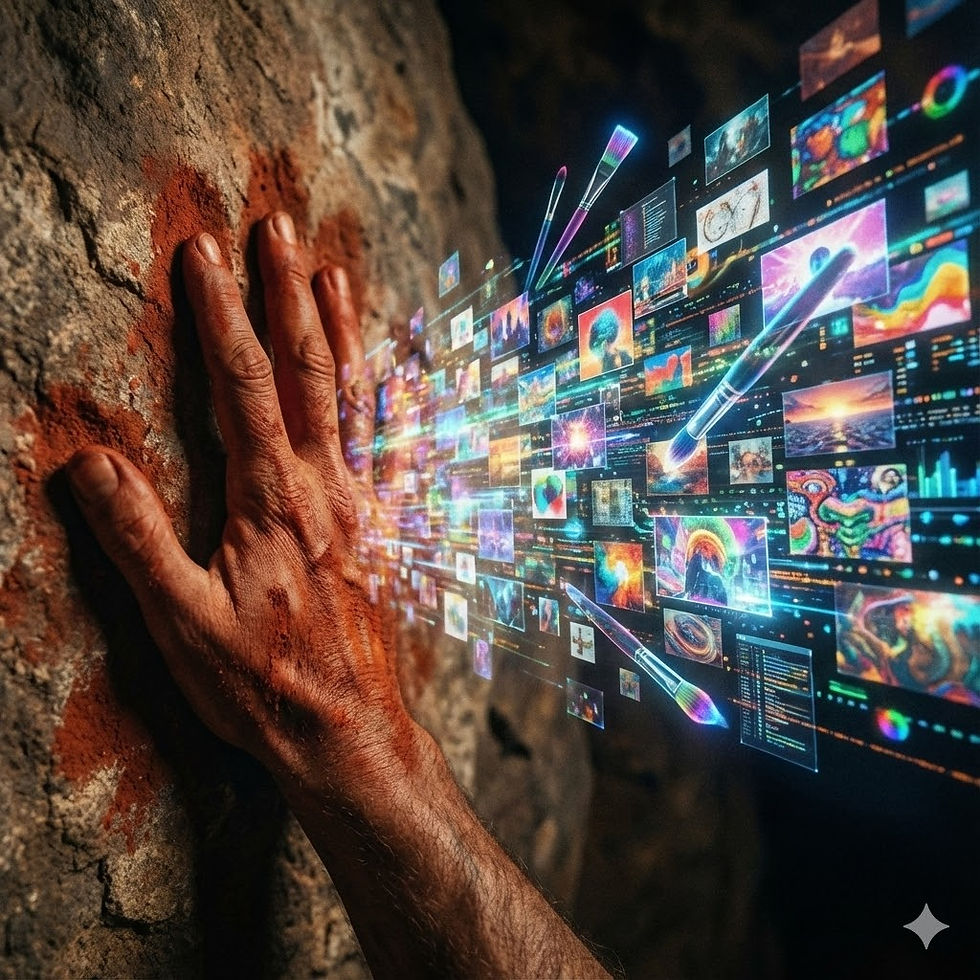
For centuries, creativity was considered an exclusively human domain—a mysterious blend of inspiration, intuition, and skill. Yet, in the dawn of the 21st century, Artificial Intelligence is rapidly proving itself not as a replacement for human artistry, but as an extraordinary collaborator, muse, and amplifier of imagination. For artists, designers, musicians, writers, and innovators across every discipline, AI offers a "Script That Will Save People" by breaking down creative blocks, automating tedious tasks, exploring unprecedented possibilities, and democratizing the tools of creation.
AI in arts and innovation isn't just about generating pretty pictures or catchy tunes; it's about pushing the boundaries of what's possible, enabling entirely new forms of expression, and helping creators realize their visions with unprecedented speed and scale. It's transforming the ideation process, streamlining production, and opening up new avenues for audience engagement.
This post is your comprehensive guide to exactly 100 AI-powered tips, tricks, and actionable recommendations designed to ignite your creative spark and accelerate your innovative pursuits. Discover how AI can be your ultimate co-creator, personal assistant, and endless source of inspiration, helping you achieve true artistic and innovative mastery.
Quick Navigation: Explore AI in Arts & Innovation
I. 🖼️ Visual Arts & Design
II. 🎶 Music & Audio Composition
III. ✍️ Creative Writing & Storytelling
IV. 💡 Ideation & Brainstorming
V. 💻 Software & Product Design
VI. 🎭 Performance Arts & Entertainment
VII. 🛠️ Craft & Fabrication
VIII. 📈 Marketing & Monetization of Art
IX. ⚖️ Ethics & Ownership
X. ✨ Future of Creativity
🚀 The Ultimate List: 100 AI Tips & Tricks for Arts & Innovation
I. 🖼️ Visual Arts & Design
Tip 1: Generate Concept Art with Google Imagen 3 (Vertex AI)
❓ The Problem: Translating initial ideas into visual concepts requires significant drawing skills and time, often slowing down the creative process.
💡 The AI-Powered Solution: Use Google's incredibly advanced text-to-image model, Imagen 3, to create photorealistic concept art, character designs, or abstract illustrations directly from text prompts with unparalleled text-rendering accuracy.
🎯 How it Saves People: Accelerates ideation, allows rapid visual prototyping, and enables non-artists to visualize complex ideas instantly.
🛠️ Actionable Advice: Use descriptive keywords, specific art styles (e.g., "oil painting," "cyberpunk"), and precise camera angles in your prompts for optimal results.
Tip 2: Automate Background Removal & Object Isolation with Google Photos / Magic Eraser
❓ The Problem: Manually cutting out subjects from complex backgrounds is tedious and time-consuming.
💡 The AI-Powered Solution: Use the AI-driven Magic Eraser and background removal tools integrated into Google Photos to instantly and perfectly isolate subjects or remove unwanted photobombers.
🎯 How it Saves People: Dramatically speeds up image editing workflows, freeing up time for actual creative compositing.
🛠️ Actionable Advice: Open a photo on your mobile device and tap "Edit" -> "Tools" -> "Magic Eraser" to let the AI do the heavy lifting.
Tip 3: Apply Artistic Style Transfer with Midjourney
❓ The Problem: Experimenting with various artistic styles or combining different aesthetic elements can require extensive technical skill.
💡 The AI-Powered Solution: Use Midjourney's --sref (Style Reference) parameter to upload an image of a specific art style (e.g., an 1800s watercolor) and force the AI to generate your new prompt exactly in that aesthetic.
🎯 How it Saves People: Expands creative possibilities and enables rapid stylistic exploration without needing to master a new physical medium.
🛠️ Actionable Advice: Blend concepts by using image prompts alongside text prompts to create entirely new, hybrid visual genres.
Tip 4: Enhance & Upscale Low-Resolution Art. Use Magnific AI to intelligently add incredible, high-definition details to older, pixelated digital art.
Tip 5: Automate Repetitive Graphic Design. Use Adobe Firefly to generate perfect vector variations and instantly recolor massive Illustrator files.
Tip 6: Image Inpainting/Outpainting. Use Runway to seamlessly fill in missing parts of an image or extend existing images beyond their borders.
Tip 7: Generate AI-Powered Patterns. Use DALL-E 3 to create seamless, repeatable patterns and custom textures for digital textiles.
Tip 8: Automated Color Correction. Use Topaz Photo AI to intelligently adjust colors, exposure, and contrast for visual mood consistency.
Tip 9: Visual Layouts & Composition. Use Figma AI to analyze your design elements and automatically recommend aesthetically pleasing web layouts.
Tip 10: Font Pairing & Typography. Use Fontjoy's machine learning algorithms to generate beautiful, harmonious font combinations instantly.
II. 🎶 Music & Audio Composition
Tip 11: Generate Original Music with Google MusicFX (Test Kitchen)
❓ The Problem: Composing original music requires deep theoretical knowledge, instrumental skill, or significant time for experimentation.
💡 The AI-Powered Solution: Input your desired mood, genre, and instrumentation into Google MusicFX. The AI, powered by MusicLM, generates high-fidelity, completely original audio tracks from your text prompts.
🎯 How it Saves People: Provides instant musical inspiration, allows rapid prototyping of compositions, and democratizes music creation for video creators.
🛠️ Actionable Advice: Use highly descriptive emotional keywords like "A slow, melancholic jazz saxophone solo playing in a rainy alleyway."
Tip 12: Enhance Audio Quality with Google Podcast/YouTube Audio AI
❓ The Problem: Recordings often suffer from background noise, wind, or room echo, degrading overall audio quality.
💡 The AI-Powered Solution: Employ AI audio enhancement tools built into YouTube Studio or Google's audio suites to automatically strip away background static and make a cheap microphone sound like a professional studio setup.
🎯 How it Saves People: Dramatically improves production quality and eliminates the need for expensive post-production audio engineers.
🛠️ Actionable Advice: Always run your raw vocal tracks through an AI enhancer before mixing them into your final project.
Tip 13: Voice Synthesis & Realistic Narration with ElevenLabs
❓ The Problem: Recording high-quality voiceovers requires professional voice talent and expensive studio equipment.
💡 The AI-Powered Solution: Use ElevenLabs to convert written text into stunningly natural-sounding speech, complete with human breaths, hesitations, and emotional pacing.
🎯 How it Saves People: Provides instant, affordable voiceovers for indie animations, audiobooks, and video games.
🛠️ Actionable Advice: Use the "Voice Design" feature to mathematically generate a completely unique, royalty-free character voice.
Tip 14: Generate Full Songs with Vocals. Use Suno AI to generate complete, radio-quality tracks (with lyrics and singing) in any genre.
Tip 15: Orchestral Composition Assistance. Use AIVA to compose complex, emotional cinematic scores and export the raw MIDI data to your DAW.
Tip 16: AI-Powered Music Mixing. Use iZotope Ozone's AI Master Assistant to analyze your track and automatically balance the EQ and loudness levels.
Tip 17: Audio Stem Separation. Use Moises to mathematically isolate the vocals, drums, and bass from a single, flattened audio file for remixing.
Tip 18: Background Music Loops. Use Soundraw to create infinitely customizable, royalty-free ambient tracks for YouTube videos or games.
Tip 19: Music Transcription. Use AnthemScore to automatically transcribe MP3 melodies into sheet music or identify chords.
Tip 20: Automated Drum Patterns. Use AI drum plugins in Ableton or Logic Pro to generate complex, genre-specific rhythmic beats automatically.
III. ✍️ Creative Writing & Storytelling
Tip 21: Overcome Writer's Block with Google Gemini
❓ The Problem: Staring at a blank page, struggling to find a compelling opening, or feeling stuck on a complex plot point.
💡 The AI-Powered Solution: Engage Gemini as a creative muse. Prompt the AI with your basic premise and ask it to generate 10 unique writing prompts, opening lines, or alternative narrative directions.
🎯 How it Saves People: Sparks creativity, breaks mental paralysis, and acts as an untiring brainstorming partner.
🛠️ Actionable Advice: Give the AI a specific persona: "Act as a mystery novelist. Give me 3 unexpected twists for my detective story."
Tip 22: Build Intricate Worlds with Google NotebookLM
❓ The Problem: Creating multi-dimensional characters and tracking complex lore across a 500-page fantasy novel leads to massive continuity errors.
💡 The AI-Powered Solution: Upload all your character notes, maps, and drafted chapters into Google NotebookLM. The AI acts as your personal "Story Bible." You can ask it, "What is the political structure of the elven kingdom?" and it will answer based strictly on your uploaded notes.
🎯 How it Saves People: Ensures flawless continuity in world-building and speeds up the drafting process by organizing massive amounts of lore.
🛠️ Actionable Advice: Use NotebookLM to instantly generate a cohesive character biography from scattered, messy brainstorming notes.
Tip 23: Refine Dialogue & Pacing with Claude 3.5 Sonnet
❓ The Problem: Writing natural-sounding dialogue and objectively assessing your own pacing is notoriously difficult for authors.
💡 The AI-Powered Solution: Paste your chapter into Claude 3.5 Sonnet (highly regarded for creative writing) and prompt it to analyze the pacing, identify logical inconsistencies, or rewrite a clunky conversation between two specific character archetypes.
🎯 How it Saves People: Improves story quality, refines narrative flow, and acts as a brilliant, instantaneous developmental editor.
🛠️ Actionable Advice: Ask the AI to rewrite a scene from a completely different character's Point of View (POV) to explore new angles.
Tip 24: Generate Synopses. Feed your massive manuscript into ChatGPT and ask it to write a punchy, 2-sentence "elevator pitch" or logline.
Tip 25: Interactive Fiction Creation. Use NovelAI to build branching, text-based RPG narratives that adapt to reader choices in real-time.
Tip 26: Screenplay Formatting. Use Arc Studio Pro's AI to automatically format your raw text into industry-standard Hollywood script formats.
Tip 27: Style Transfer. Use Sudowrite to rewrite a scene specifically in the style of Hemingway, Stephen King, or any preferred tone.
Tip 28: Name Generation. Ask an LLM to generate 50 culturally consistent, unique names for planets or alien races based on specific linguistic rules.
Tip 29: Emotional Beats. Use AI to analyze your script and highlight where the "emotional beats" are lacking tension or resolution.
Tip 30: Marketing Your Book. Use Jasper to write compelling ad copy and back-cover blurbs to sell your finished novel online.
IV. 💡 Ideation & Brainstorming
Tip 31: Collaborative Ideation with Google Workspace (Smart Canvas)
❓ The Problem: Remote brainstorming sessions often devolve into chaos, with great ideas lost in messy shared documents.
💡 The AI-Powered Solution: Use the AI features embedded in Google Docs and Google Meet. During a brainstorming session, the AI can automatically cluster similar ideas, summarize the meeting, and generate actionable next steps.
🎯 How it Saves People: Structures creative workflows, ensures all voices are heard, and turns messy ideation into organized project outlines.
🛠️ Actionable Advice: Use the "Help me organize" feature in Google Sheets to instantly build a project tracking matrix from your brainstorming notes.
Tip 32: Spot Emerging Trends with Google Trends AI
❓ The Problem: Creators need to know what the public cares about before they spend months making a product or artwork.
💡 The AI-Powered Solution: Use Google Trends to analyze billions of search queries. The underlying algorithms map exactly what creative topics are surging in popularity in real-time.
🎯 How it Saves People: Prevents creators from wasting time on dead trends and aligns innovation with actual market demand.
🛠️ Actionable Advice: Compare two different artistic concepts in Google Trends to see which one currently has more public momentum.
Tip 33: Visual Brainstorming with Miro AI
❓ The Problem: Mind maps get too large and unwieldy, making it hard to connect disparate thoughts.
💡 The AI-Powered Solution: Use Miro's AI to automatically generate mind maps. Type a single core concept, and the AI will branch out into dozens of related ideas, sticky notes, and visual clusters instantly.
🎯 How it Saves People: Massively accelerates visual thinking and uncovers lateral connections humans might miss.
🛠️ Actionable Advice: Use the AI to summarize a massive board of 100 sticky notes into a 3-point strategy document.
Tip 34: Concept Clustering. Use Notion AI to instantly organize and tag a massive brain-dump of ideas into logical categories.
Tip 35: Lateral Thinking Prompts. Ask an LLM to "Apply the business model of an airline to a coffee shop" to force bizarre, innovative combinations.
Tip 36: Historical Context Research. Use Perplexity AI to instantly research the historical origins of an idea with live, cited web sources.
Tip 37: Visual Prototyping. Use Canva Magic Studio to instantly generate a mock-up of your idea to show investors or collaborators.
Tip 38: Structuring Workflows. Use Taskade AI to turn a single sentence idea into a comprehensive, multi-step project management board.
Tip 39: AI Generated Outlines. Use Xmind Copilot to generate structured, hierarchical outlines for your next creative project automatically.
Tip 40: Connect Disparate Ideas. Use Obsidian with AI plugins to mathematically link related concepts in your personal digital brain.
V. 💻 Software & Product Design
Tip 41: Accelerate Code Generation with Google Project IDX
❓ The Problem: Writing repetitive boilerplate code or finding obscure bugs slows down creative app and product development.
💡 The AI-Powered Solution: Use Google's Project IDX, a next-generation AI workspace. It features an integrated AI assistant that can write code snippets, complete functions, and explain complex codebases in natural language.
🎯 How it Saves People: Dramatically increases coding speed, reduces debugging frustration, and allows developers to focus on creative architecture rather than syntax.
🛠️ Actionable Advice: Highlight a block of broken code and ask the IDX AI, "Why is this returning an error?" to get an instant, contextual fix.
Tip 42: Generate UI Prototypes with Figma AI
❓ The Problem: Designing intuitive User Interfaces (UI) requires extensive iteration and wireframing before any actual coding can begin.
💡 The AI-Powered Solution: Use Figma's integrated AI tools to instantly generate complete UI mockups, icons, and layout variations simply by typing a text description (e.g., "Design a sleek login screen for a fitness app").
🎯 How it Saves People: Streamlines the design process, bridges the gap between designers and developers, and allows for rapid visual iteration.
🛠️ Actionable Advice: Use the AI to instantly rename and organize all your messy design layers with a single click.
Tip 43: Wireframing from Sketches with Uizard
❓ The Problem: Moving from a napkin sketch to a digital wireframe is tedious data entry.
💡 The AI-Powered Solution: Snap a photo of your hand-drawn UI sketch and upload it to Uizard. The AI computer vision instantly converts the drawing into a fully editable, interactive digital wireframe.
🎯 How it Saves People: Turns rough ideas into testable prototypes in minutes, saving hours of digital tracing.
🛠️ Actionable Advice: Use this in early client meetings to digitize their ideas on the whiteboard in real-time.
Tip 44: Material Design Systems. Use Google Material Design algorithms to automatically generate accessible, mathematically perfect color palettes for your app.
Tip 45: Autocomplete Code. Install GitHub Copilot in your IDE to have AI predict and write entire blocks of code as you type.
Tip 46: UI from Text. Use Galileo AI to generate complex, editable UI components directly from natural language prompts.
Tip 47: Code Documentation. Use Tabnine to automatically write clear, concise documentation for your software based on its function.
Tip 48: Cybersecurity Detection. Use Snyk AI to scan your code as you write it, instantly flagging vulnerabilities before the app launches.
Tip 49: Deployment Optimization. Use Vercel's AI tools (v0) to generate and deploy React components to the web instantly.
Tip 50: User Journey Analytics. Use PostHog to analyze user behavior, letting AI identify exactly where users get frustrated and abandon your product.
VI. 🎭 Performance Arts & Entertainment
Tip 51: Video Editing & Effects with Google YouTube Create
❓ The Problem: Editing video for performance art, dance, or entertainment content is highly technical and software-intensive.
💡 The AI-Powered Solution: Use YouTube Create’s AI tools to automatically remove background noise, generate flawless auto-captions, and apply beat-matching AI to synchronize your video cuts perfectly to the music track.
🎯 How it Saves People: Democratizes high-end video production, allowing performers to edit and publish polished content directly from their phones.
🛠️ Actionable Advice: Use the "Audio Cleanup" feature to make outdoor performance audio sound like it was recorded in a studio.
Tip 52: AI Choreography & Animation with Cascadeur
❓ The Problem: Animating 3D characters for games or virtual performances requires frame-by-frame manual rigging, which takes years to master.
💡 The AI-Powered Solution: Use Cascadeur's AI-assisted keyframe animation. You pose the character at the start and end of a jump; the AI physics engine mathematically calculates the realistic weight, momentum, and follow-through, generating the entire animation sequence automatically.
🎯 How it Saves People: Sparks creative ideas for virtual choreographers and accelerates the 3D animation process by 100x.
🛠️ Actionable Advice: Use the "AutoPosing" tool to quickly establish character silhouettes before fine-tuning the motion.
Tip 53: Motion Capture from Video with Move.ai
❓ The Problem: Capturing human dance or performance data for digital avatars traditionally requires wearing expensive, restrictive mocap suits in a studio.
💡 The AI-Powered Solution: Record a dancer using standard smartphones. Move.ai uses advanced computer vision to extract high-fidelity 3D motion data directly from the 2D video, requiring zero suits or markers.
🎯 How it Saves People: Democratizes motion capture, allowing indie performers to bring their physical art into digital and metaverse spaces affordably.
🛠️ Actionable Advice: Ensure good, even lighting when recording your performance on your phone for the best AI extraction results.
Tip 54: Stage Lighting AI. Explore emerging AI DMX controllers that "listen" to live music and automatically generate synchronized, emotional lighting cues on stage.
Tip 55: Improv Scenarios. Ask ChatGPT to generate bizarre, unexpected prompts or character constraints for live improvisational comedy training.
Tip 56: Virtual Set Generation. Use Wonder Dynamics to automatically replace actors in your video with CG characters, handling the lighting and rendering automatically.
Tip 57: 3D Scene Capture. Use Luma AI to scan a physical stage with your phone, turning it into a 3D environment to plan out theatrical blocking in VR.
Tip 58: Vocal Feedback. Use apps like VocalPitchMonitor that use algorithmic analysis to provide real-time feedback on singing pitch and rhythm.
Tip 59: Visual Effects for Live Shows. Use Runway Gen-3 to generate massive, surreal, and dynamic background video projections for concerts or plays.
Tip 60: Audience Reaction Analysis. Use computer vision APIs to analyze the facial expressions of a test audience to see exactly which joke or scene landed the best.
VII. 🛠️ Craft & Fabrication
Tip 61: Identify Materials & Inspiration with Google Lens
❓ The Problem: Crafters often see a beautiful textile, joint, or material in the real world but have no idea what it is called or where to buy it.
💡 The AI-Powered Solution: Open Google Lens and point your camera at the fabric or woodwork. The AI instantly identifies the material, the weaving technique, and provides shopping links to purchase the supplies.
🎯 How it Saves People: Bridges the gap between physical inspiration and digital sourcing, saving hours of frustrating web searches.
🛠️ Actionable Advice: Use Lens on old, vintage clothing to identify the exact stitching pattern used so you can recreate it.
Tip 62: Generative 3D Modeling with Autodesk Fusion 360
❓ The Problem: Designing complex, weight-bearing components for woodworking or 3D printing requires intense structural engineering knowledge.
💡 The AI-Powered Solution: Use Generative Design in Fusion 360. Input your constraints (e.g., "Must hold 50 lbs, must be made of PLA plastic"). The AI mathematically generates thousands of organic, alien-looking designs that are vastly stronger and lighter than human designs.
🎯 How it Saves People: Accelerates 3D design, optimizes material usage, and creates stunning, functional art pieces.
🛠️ Actionable Advice: Use generative design to create custom, optimized joints or brackets for complex furniture builds.
Tip 63: Structural Integrity Modeling with nTopology
❓ The Problem: Knowing if a custom, 3D-printed part will snap under pressure usually requires physically breaking multiple prototypes.
💡 The AI-Powered Solution: nTopology uses advanced algorithmic engineering to simulate physical stress on your digital model, showing you a color-coded heat map of exactly where the part will fail before you ever print it.
🎯 How it Saves People: Prevents costly material mistakes and ensures the absolute safety and durability of fabricated projects.
🛠️ Actionable Advice: Use it to hollow out solid parts and replace the interior with AI-generated "lattices" to save plastic without losing strength.
Tip 64: Craft Pattern Generation. Use Midjourney to generate complex, beautiful cross-stitch, embroidery, or quilting patterns.
Tip 65: Additive Manufacturing Optimization. Use Shapr3D's intelligent tools to quickly sketch and push 3D concepts directly to a 3D printer via iPad.
Tip 66: Troubleshooting Techniques. Paste a photo of a botched woodworking joint into ChatGPT and ask the AI what specific routing mistake you made.
Tip 67: CNC Path Planning. Use AI algorithms in your CAM software to calculate the absolute fastest, most efficient path for your laser cutter to save machine time.
Tip 68: Material Efficiency. Use CutList Optimizer algorithms to mathematically calculate exactly how to cut your plywood sheets to generate the absolute minimum amount of scrap wood.
Tip 69: Finding 3D Prints. Use AI-powered search on platforms like Thingiverse to find the exact STL file you need.
Tip 70: 3D Scanning Objects. Use Polycam on your phone to use AI photogrammetry to scan a physical object (like a broken knob) so you can 3D print an exact replica.
VIII. 📈 Marketing & Monetization of Art
Tip 71: Promote Art Portfolios with Google Ads (Performance Max)
❓ The Problem: Independent artists struggle to find buyers and patrons without spending hours managing complex digital advertising platforms.
💡 The AI-Powered Solution: Use Google Performance Max (PMax). Input your art portfolio, a small budget, and your target audience. The AI autonomously generates the ads and mathematically finds art collectors across YouTube, Search, and Display, optimizing your budget for actual sales.
🎯 How it Saves People: Automates customer acquisition, ensuring artists spend their time making art, not tweaking ad bids.
🛠️ Actionable Advice: Ensure you have tracking set up on your digital store so the AI knows exactly what a "sale" looks like to optimize properly.
Tip 72: Audience Demographics with Google Analytics 4
❓ The Problem: Artists often don't know who is actually looking at their online portfolio or where their fans live.
💡 The AI-Powered Solution: Install GA4 on your portfolio site. The predictive AI will analyze your traffic and mathematically profile your audience, telling you what cities they live in and what their other interests are.
🎯 How it Saves People: Informs artists where to plan physical gallery shows or target local advertising based on where their digital fans actually reside.
🛠️ Actionable Advice: Look at the "User Acquisition" tab to see exactly which social media platform is driving actual art sales, not just "Likes."
Tip 73: Write Artist Statements with Copy.ai
❓ The Problem: Artists are visually brilliant but often struggle to articulate the meaning of their work in written "Artist Statements" for galleries.
💡 The AI-Powered Solution: Paste a messy brain-dump of your inspirations into Copy.ai. Instruct it to "Rewrite this into a professional, compelling, 2-paragraph artist statement suitable for a high-end gallery exhibition."
🎯 How it Saves People: Overcomes writer's block and ensures professional, engaging communication that attracts curators and patrons.
🛠️ Actionable Advice: Generate 5 variations and combine the sentences that best reflect your true voice.
Tip 74: Social Media Content Calendars. Use Canva Magic Studio to instantly generate 30 days of Instagram posts featuring your art, complete with captions.
Tip 75: Social Media Scheduling. Use Hootsuite's AI to analyze your followers and automatically post your art at the exact minute they are most likely to be online.
Tip 76: Merchandising Art Prints. Use Shopify Magic to instantly generate hundreds of SEO-optimized product descriptions for your art prints and t-shirts.
Tip 77: Newsletter Optimization. Use Mailchimp's AI to optimize the subject lines of your emails to ensure your fans actually open them to see your new collection.
Tip 78: Keyword Optimization. Use Surfer SEO to ensure your art blog mathematically ranks on Google when people search for "original abstract landscape paintings."
Tip 79: Monetization Strategy. Ask an LLM to analyze your specific niche and suggest 5 new revenue streams (e.g., Patreon tiers, specific print-on-demand sites).
Tip 80: Market Trends & Pricing. Analyze platforms like Artsy using AI tools to understand the current market demand and optimal pricing brackets for your specific medium.
IX. ⚖️ Ethics & Ownership
Tip 81: Watermark AI Art with Google DeepMind SynthID
❓ The Problem: The proliferation of AI-generated imagery makes it impossible to distinguish human art from machine art, leading to deepfakes and fraud.
💡 The AI-Powered Solution: Google's SynthID embeds an invisible, cryptographic watermark directly into the pixels of AI-generated images and audio. It survives cropping, filters, and compression.
🎯 How it Saves People: Helps maintain trust in digital media, combats visual misinformation, and provides a clear mechanism for authenticity verification.
🛠️ Actionable Advice: Support and utilize generative platforms that commit to integrating invisible watermarking standards.
Tip 82: Protect Human Art from AI Scraping with Glaze
❓ The Problem: Massive AI companies scrape human artists' portfolios from the internet without consent to train their image generators to mimic their specific style.
💡 The AI-Powered Solution: Glaze is a tool developed by researchers. Human artists run their digital paintings through Glaze before posting them online. It applies an invisible "cloak" to the pixels. To a human, the art looks identical; to an AI training model, the art looks like a completely different style (e.g., charcoal instead of anime), mathematically ruining the AI's ability to steal the artist's style.
🎯 How it Saves People: Provides artists with a critical technological defense to protect their intellectual property and unique creative identity.
🛠️ Actionable Advice: "Glaze" every single piece of artwork before you upload it to Instagram, ArtStation, or any public portfolio.
Tip 83: Authenticity Verification with Content Credentials (C2PA)
❓ The Problem: Proving that a digital photograph or artwork is authentic and unaltered is increasingly difficult.
💡 The AI-Powered Solution: The C2PA standard (adopted by Adobe and others) acts as a digital "nutrition label" for art. It securely attaches cryptographic metadata to the file, permanently recording exactly who created it, when, and what AI tools (if any) were used to alter it.
🎯 How it Saves People: Ensures proper attribution of creative works and provides transparent provenance for digital files.
🛠️ Actionable Advice: Enable "Content Credentials" in Photoshop when exporting your digital art to permanently attach your authorship to the file.
Tip 84: Disrupting Style Mimicry. Use Nightshade to invisibly alter your images so they mathematically "poison" the data pool of any AI attempting to scrape them.
Tip 85: Check Dataset Sourcing. Use Have I Been Trained? to search massive AI training datasets (like LAION) to see if your copyrighted art was illegally scraped, and submit a removal request.
Tip 86: Licensing Generation. Use AI to help you quickly generate and understand the correct Creative Commons license to attach to your digital distributions.
Tip 87: Copyright Law Basics. Use an LLM to summarize the latest rulings from the US Copyright Office regarding the evolving legal status of AI-assisted art.
Tip 88: Community Moderation. Platforms use Hive Moderation to automatically flag and remove AI-generated art from forums specifically dedicated to human-only creation.
Tip 89: Ethical Tagging Platforms. Support sites like DeviantArt that have implemented strict "Created with AI" mandatory tagging rules to ensure transparency.
Tip 90: Certification for Ethical Models. Support AI companies certified by Fairly Trained, which proves they only train their generative models on legally licensed, compensated data.
X. ✨ Future of Creativity
Tip 91: Immersive Museum Experiences via Google Arts & Culture AI
❓ The Problem: Traditional art consumption is passive and 2D, limiting the impact of massive cultural works.
💡 The AI-Powered Solution: Google Arts & Culture uses AI and computer vision to turn physical art into interactive, digital experiences. It mathematically maps gigapixel images of famous paintings, allowing you to zoom in to see individual brushstrokes, or uses AR to project classic sculptures directly into your living room.
🎯 How it Saves People: Democratizes access to global art, preserves cultural heritage digitally, and creates profoundly engaging educational experiences.
🛠️ Actionable Advice: Use the app's "Art Selfie" feature to let the AI find your historical doppelgänger in a classic painting.
Tip 92: Text-to-Video Film Generation with Sora (OpenAI)
❓ The Problem: Independent filmmakers lack the budget for massive sets, CG actors, and complex camera drones.
💡 The AI-Powered Solution: Next-gen video models like Sora generate hyper-realistic, 60-second video clips directly from text. The AI mathematically understands 3D physics, object permanence, and complex camera movements.
🎯 How it Saves People: Democratizes cinematography, allowing a solo writer with zero budget to direct a visually stunning, photorealistic short film.
🛠️ Actionable Advice: Follow the development of Sora and Runway Gen-3 to understand how "prompt directing" will become the future of indie filmmaking.
Tip 93: AI Spatial Computing in AR/VR with Spline
❓ The Problem: Building 3D interactive environments for the Metaverse or Apple Vision Pro requires extreme coding knowledge.
💡 The AI-Powered Solution: Tools like Spline use AI to allow creators to design 3D, interactive web and AR experiences without coding. You use generative AI to instantly create 3D assets and build spatial environments collaboratively in the browser.
🎯 How it Saves People: Bridges the gap between 2D designers and 3D spatial computing, unlocking the future of AR art.
🛠️ Actionable Advice: Start experimenting with AI 3D asset generation to prepare for the coming shift from flat screens to spatial web design.
Tip 94: Thought-to-Art Generation. Follow developments in Neuralink / BCI technology, where future creators may interface directly with AI to generate digital art purely through neural signals.
Tip 95: AI-Driven Virtual Galleries. Use platforms like Spatial.io to instantly generate stunning, interactive 3D galleries to host virtual art exhibitions for global fans.
Tip 96: Procedural Storytelling. Use platforms like Lore Machine to instantly turn a text script into a fully illustrated, interactive graphic novel.
Tip 97: Cinematic Upscaling. Use Magnific AI to take a low-res AI image and hallucinate incredible, cinematic micro-details (like pores and fabric textures) to make it indistinguishable from a DSLR photo.
Tip 98: Real-time Visual Enhancement. Use Krea AI to sketch a rough doodle on your iPad and watch the AI mathematically render it into a photorealistic masterpiece in real-time as you draw.
Tip 99: Real-Time Personalized Soundtracks. Use emerging AI audio tools to generate a musical score that dynamically shifts its tempo and mood based on the viewer's biometric reactions.
Tip 100: Stay Ahead of the Curve. Continuously use AIWA-AI and other directories to stay updated on the absolute newest, most disruptive AI tools launching in the creative space weekly.

✨ The Script That Will Save Humanity
The "Script That Will Save People" in arts and innovation is a profound affirmation of human creativity, amplified by intelligent tools. It's not about machines replacing artists, but about empowering every individual with the means to express, innovate, and connect through art like never before. It's the AI that breaks down technical barriers for a disabled artist, sparks unexpected ideas for a blocked writer, automates the mundane tasks of a graphic designer, and opens new avenues for artistic expression and economic opportunity.
These 100 AI-powered tips and tricks are transforming the creative landscape, making it more accessible, efficient, and endlessly inspiring. By embracing AI ethically, we are not just creating art; we are co-creating the future of imagination, fostering a world where every vision, no matter how grand or subtle, has the mathematical potential to become a tangible, beautiful reality.
💬 Your Turn: How Will AI Shape Your Creativity?
Which of these 100 AI tips and tricks excites you absolute most for your own creative pursuits or innovative projects?
What is a current creative challenge or technical bottleneck you face that you believe AI is uniquely positioned to solve tomorrow?
For fellow artists, designers, and innovators: What is the most surprising, terrifying, or impactful way you've seen AI used to enhance human creativity?
We aggressively invite you to share your vital insights and visionary experiences in the comments below! 👇
📖 Glossary of Terms
AI (Artificial Intelligence): The advanced theory and development of computer systems mathematically engineered to perform complex cognitive tasks—like instantly generating a photorealistic image from a text description.
Machine Learning (ML): A subset of AI allowing systems to learn from massive datasets, identifying hidden patterns like predicting what color palette will evoke a specific emotion.
LLM (Large Language Model): A type of AI model (like Gemini or ChatGPT) trained on vast amounts of text data, capable of understanding and generating highly creative, human-like text and stories.
Prompt Engineering: The art and science of crafting the absolute perfect text inputs (prompts) to force an AI model to generate exactly the desired output.
Generative AI: The specific subset of AI capable of hallucinating entirely new, original content (images, text, music, code) that resembles human creation.
Inpainting/Outpainting: Miraculous AI techniques. Inpainting allows you to erase a mistake in a photo and have the AI mathematically fill the hole perfectly. Outpainting allows the AI to "zoom out" and hallucinate the rest of the scenery outside the original borders of the image.
Foley: The reproduction of everyday sound effects added to film. AI can now automatically generate these sounds (like "footsteps on gravel") perfectly synced to a video.
📝 Terms & Conditions
ℹ️ Information Only: The information provided in this blog post, including the list of 100 AI tips and tricks, is for general informational and educational purposes only. It does not constitute professional legal, financial, or investment advice.
🔍 No Warranties: While AIWA-AI strives to provide insightful and well-researched ideas, we make no representations or warranties of any kind, express or implied, about the completeness, viability, or accuracy of these tools. Any reliance you place on this information is therefore strictly at your own risk.
🚫 Not a Solicitation: The presentation of these tips is not an offer or solicitation. Implementing AI tools involves technical knowledge, software installation, and strict adherence to specific platform terms of service.
🧑⚖️ Exercise Caution: We strongly encourage you to conduct your own thorough research and exercise extreme ethical caution, especially when dealing with intellectual property, copyright law, and the rapidly evolving legal landscape of AI-generated content. Please consult with qualified legal professionals for specific advice regarding copyright protection and the commercial use of generative AI.

Posts on the topic 🎨 AI in Arts and Creativity:
The AI Artist: A Threat to the "Inner Compass" or Its Best Tool?
Artistic Avenues Square Up: Digital Art (NFTs) vs. Traditional Canvas
Creative AI: 100 Tips & Tricks for Arts & Innovation
Arts & Creativity: 100 AI-Powered Business and Startup Ideas
Arts and Creativity: AI Innovators "TOP-100"
Arts and Creativity: Records and Anti-records
Arts and Creativity: The Best Resources from AI
Statistics in Arts and Creativity from AI
The Role of AI in Preserving and Presenting Cultural Heritage
AI in Writing and Literature
AI in Music Composition and Performance
How is AI changing the way we perceive Art?
What does the Future hold for Art in the age of AI?
The Best AI Tools for Photos
The Best Image Generation
New Art Forms Powered by AI: Blurring the Lines of Creativity
The Future of AI in Art: A Canvas of Possibilities
An Exhaustive Examination of the Problems of AI in Art
AI's Creative Canvas: Exploring the Diverse Applications of AI in Art
Possibilities of AI in Art
Visual Art and AI: A New Era of Creativity
Art and AI: Symbiosis Creating New Horizons
Explore our Top-rated AI tips and quick tricks in other sectors
HR Reimagined: 100 AI Tips & Tricks for Human Resources
Travel Smarter: 100 AI Tips & Tricks for Tourism & Hospitality
Social Insights: 100 AI Tips & Tricks for Understanding People
Language Unlocked: 100 AI Tips & Tricks for Linguistics & Translation
Gaming Smarter: 100 AI Tips & Tricks for Entertainment & Play
Creative AI: 100 Tips & Tricks for Arts & Innovation
Build Smarter: 100 AI Tips & Tricks for the Construction Industry
Style & Tech: 100 AI Tips & Tricks for the Fashion Industry
Marketing Magic: 100 AI Tips & Tricks for Advertising & Campaigns
Urban Living: 100 AI Tips & Tricks for Smart Cities & Development
Weather Wisdom: 100 AI Tips & Tricks for Meteorology & Forecasting
Green Living: 100 AI Tips & Tricks for Ecology & Sustainability
Connect Smarter: 100 AI Tips & Tricks for Telecommunications
Cosmic Insights: 100 AI Tips & Tricks for the Space Industry
Research Breakthroughs: 100 AI Tips & Tricks for Scientific Discovery
Civic Hacks: 100 AI Tips & Tricks for Public Administration
Legal Edge: 100 AI Tips & Tricks for Jurisprudence
Powering Up: 100 AI Tips & Tricks for the Energy Sector
Digital Guardians: 100 AI Tips & Tricks for Security & Defense
Media Mastery: 100 AI Tips & Tricks for Entertainment & Content Creation
Smart Farming: 100 AI Tips & Tricks for Agriculture
Retail Revolution: 100 AI Tips & Tricks for E-commerce & Shopping
Industrial Intelligence: 100 AI Tips & Tricks for Manufacturing & Industry
Route Optimization: 100 AI Tips & Tricks for Transportation & Logistics
Finance Fortunes: 100 AI Tips & Tricks for Business & Finance
Health & Wellness: 100 AI Tips & Tricks from AI for Medicine & Healthcare
Learn with AI: 100 Tips & Tricks for Enhanced Education
Everyday AI: 100 Tips & Tricks for Smarter Living
🎁 This Is a Gift For You: Why? Just Like That!
🛡️A Safe Harbor in the Digital Sea: A Loving Guide to Protecting Your Child's Heart Online
🧭 Navigating the Digital Fog: A Guide to Reclaiming Your Mental Sovereignty

Comments